









 0:09
0:09 0:04
0:04True originals
AirDrop quality, not WhatsApp quality: every pixel, and the real date each photo was taken.
Your guests are holding the best photos of your day. One QR code gathers them into a private gallery, at full quality, with nothing for anyone to install.
Free to set up, no card needed
Built for our own engagement first: 100 guests, 291 photos & videos, one link
They stay on your guests' phones. The few that get sent arrive squashed, out of order, without their dates.
Print the A6 table cards and the A5 sign, or put the code up on a screen. One on every table does it.
Their camera opens the upload page in the browser. There's no app to install and nothing to sign in to.
Every angle of the night in one gallery, ready to download.
AirDrop quality, not WhatsApp quality: every pixel, and the real date each photo was taken.
One link for as many guests as you invite, with room for 3,000 photos & videos in each gallery.
Guests scan and add in seconds, and the upload page works the same for your nan as for your nephew.
15 languages, picked automatically from each guest's phone, from Polish to Hindi to Japanese.
Download the whole night as untouched originals, straight to your own device.
One private link per event, and no public feed for strangers to find.
Your first 10 photos & videos go in free (up to 100 MB each, 300 MB in total), from you or anyone you share the link with, before you pay to go live.
Open the wall on a laptop connected to the venue's TV or projector. The newest photos rotate in live, with your QR in the corner.
Print A6 table cards or an A5 sign with your QR, and copy ready-made invite, reminder & MC messages.
Put the newest photos up live on the venue's TV, and print table cards with your QR so every guest sees it.
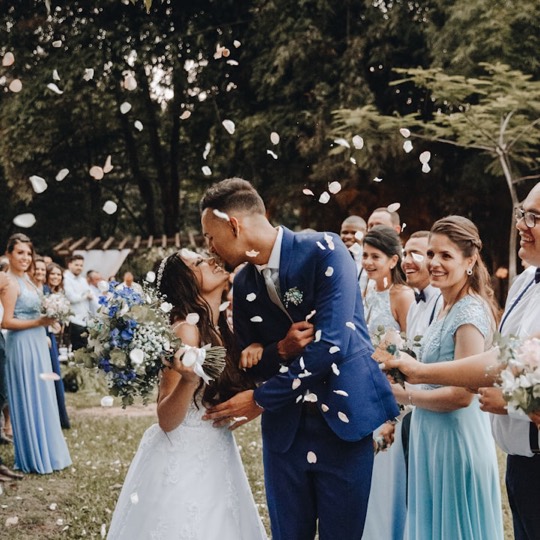





Düğün · Wesele · Boda · Hochzeit · Matrimonio: whatever you call it, the guest pages open in each phone's own language.
A guide for each occasion: where the QR code goes, what to say, and when.
Planning our own engagement, we realised the best photos of the night would scatter across our guests' phones and quietly disappear into group chats. So we built Keepcove to catch them with one QR code, at full quality. The very first gallery it ever held was ours.
— Ilayda & Ali, founders
Make it hard to miss: a card on every table, a short line from whoever's on the mic after the speeches, and the reminder message the morning after. The photo wall helps too, because people like seeing their own photo come up on the screen.
Each event gets one unguessable link, and the gallery is never listed on Google. There's no public feed and no ads. Anyone who has the link or the QR code can see and add photos, so it goes as far as you share it.
Yes. Guests are unlimited, and each gallery holds up to 3,000 photos & videos, about ten times the 291 our own 100-guest engagement produced.
Because by default, WhatsApp compresses photos and strips the date they were taken. Keepcove keeps the full-resolution originals in one place, and every one downloads straight to your own device, as sharp as the phone took it.
| Keepcove | WhatsApp group | Free QR apps | Disposable cameras | |
|---|---|---|---|---|
| Full original quality | ✓ | ✗ | varies | ✗ |
| Real capture dates kept | ✓ | ✗ | varies | ✗ |
| Videos included | ✓ | compressed | sometimes | ✗ |
| No app or login for guests | ✓ | needs WhatsApp | varies | n/a |
| Guests & uploads | Unlimited guests, 3,000/gallery | n/a | usually capped | ✗ |
| Private, no public feed | ✓ | ✓ | varies | ✓ |
| Originals to download | ✓ | lost in chat | varies | if developed |
| 15 languages | ✓ | n/a | rarely | n/a |
Private link, never on Google · Download every original, anytime
Free to set up, no card needed
Set it up before the day: photos are easiest to gather while everyone's still in the room.
Create a free gallery at keepcove.app/create. It takes about two minutes and needs no card, and your private link and QR code appear straight away. Print the A6 table cards or the A5 sign, save them as a PDF for a print shop, or show the code on a screen. Guests scan it with their camera and the upload page opens in their browser.
Setting up is free and needs no card, so you can build your gallery and see exactly what your guests will see first. Going live costs £39 once per gallery and includes a full year online, counted from the day you pay. After 12 months it renews automatically at £14.99/year unless you cancel; cancel anytime and it stays online until the end of the year you've paid for. Your guests never pay anything.
No. The QR code (or your link) opens the upload page right in the phone's browser. There's no app, no account and no login; the only thing a guest can type is their name, and that's optional, so there's nothing for older relatives to get stuck on.
Yes. Sign in at keepcove.app/login with the email you created the gallery with (we email you a 6-digit code), open the gallery and delete any photo or video you'd rather not keep. Only you, signed in, see the delete tools; the link on the table cards is for guests, and forwarding it never hands over control.
Yes. Photos and videos both go up at their original quality, and a single file can be up to 5 GB, so the whole first dance fits. Videos play in the gallery when you tap them, and they download untouched, not as the compressed copy a chat app would send.
Yes. Anyone with the link can open the gallery, select photos (or all of them) and download the originals. Only you, signed in, can delete anything.
Yes, if it fits. A gallery has no date lock, so a Friday dinner, the wedding and a Sunday barbecue can share one as long as they stay within 3,000 photos & videos. For a henna night and a wedding with different guests, two galleries (£39 each) are usually easier, each with its own QR code.
No. Keepcove never emails your guests, and the guest pages carry no analytics. Guests don't give an email address at all; the only thing they can type is their name, if they want to.
For as long as the gallery is online. The relatives who only get to their camera roll a few days later can still add theirs, so send the ready-made reminder message the morning after. There's no cut-off date while the gallery is online, and you can download every original whenever you like.
Yes. The guest pages come in 15 languages, including Turkish, Polish, Spanish, Hindi, Chinese and Japanese, and each guest's phone gets its own language automatically. So your gran in Kraków reads Polish while your uni friends read English, on the same link, with no app for anyone to install.
For most weddings, yes. A disposable gives a table a couple of dozen shots, plenty of them blurry, and you see nothing until the film is developed. With a QR code, every guest uses the phone already in their pocket, videos included, and the photos arrive in your gallery on the night as downloadable originals. Nothing stops you putting a few disposables out as well, for fun.
Set up your gallery in two minutes, free. You only pay when you're ready to go live.
See a live gallery
keepcove.app/g/demo
Free to set up, no card needed
Create my free gallery